The Ultimate Texas Sports Cave: Designing a Multi-Screen Media Room
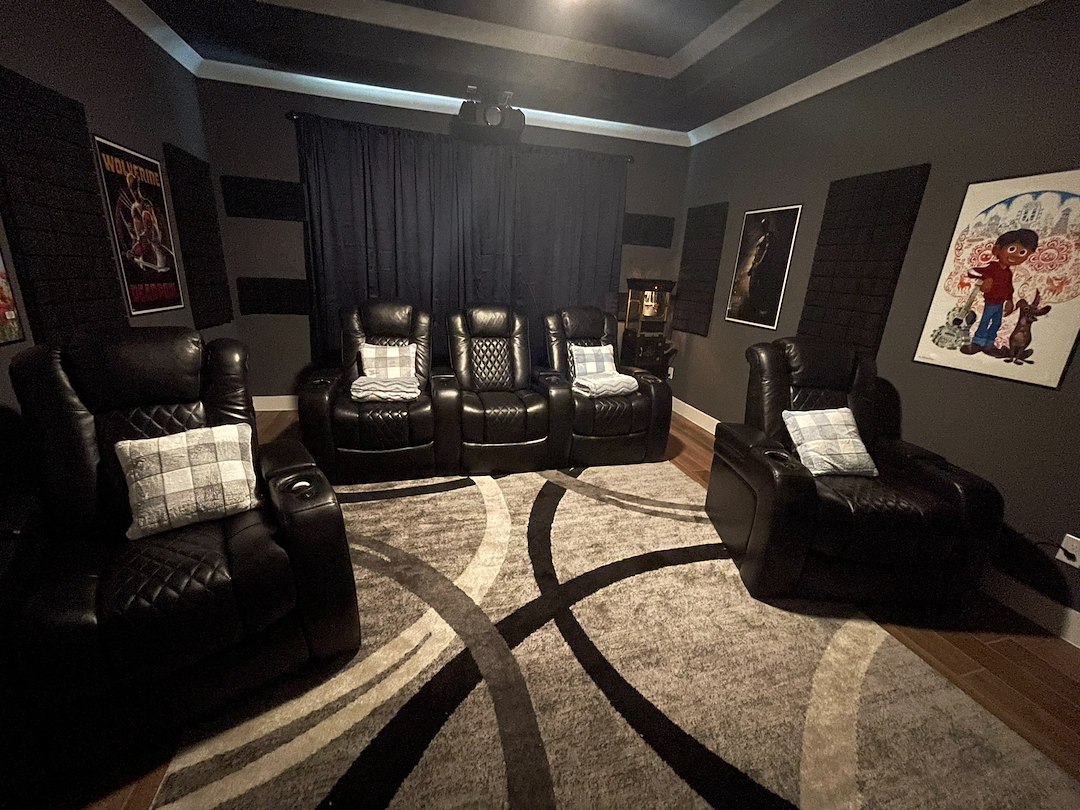
Texas game days move fast. To keep every score, you need a multi-screen media room that stays stable under pressure. This guide walks you through the core building blocks that make a Texas sports cave dependable, quiet, and simple to use. If you are exploring layout and gear, our home theater services can coordinate the engineering so your room is ready before kickoff.
What Makes A Texas Sports Cave Work
A winning sports cave is more than hanging four TVs on a wall. The backbone is a central rack that houses sources, a video matrix switcher, audio processing, networking, and reliable power. Each screen gets the right signal at the right resolution with a single tap, and you can switch sound between games without juggling remotes.
Because many Texas homes have long cable runs and hot attics, signal integrity and cooling matter. Using pro-grade extenders, certified cabling, and active ventilation protects picture quality and uptime during marathon Saturdays and Sundays.
Designing The Multiple TV Wall Setup
Start with the viewing goals. Do you want one main screen for the feature game and three to six side screens for the rest, or a uniform grid for equal priority? Most fans in Texas prefer a large primary display centered between eye level and 15 degrees above, with two to four companions flanking it. Narrow-bezel displays keep seams small and make the wall look clean.
Viewing distance guides screen size. As a simple rule, place the primary seating at roughly 1.5 to 2.5 times the diagonal of the main display. For a 98-inch TV, the front row should sit about 12 to 20 feet away. Place side displays so their centers are within a comfortable head turn, not a neck twist.
- Feature wall: one 98-inch center with two 65-inch screens angled left and right.
- Quad grid: four matched 75-inch displays in a tight 2x2 layout for balanced viewing.
- Row wall: three 85-inch displays in a horizontal line for wide rooms.
Mounts need solid blocking in the wall. Ask your builder or carpenter to add 3/4-inch plywood or steel backing behind the drywall so every lag bolt bites into structure. This is critical for heavier displays and for clean cable pass-throughs behind the mounts.
Video Distribution And The Matrix Switcher For Home Theater
A video matrix switcher is the traffic cop for your displays. It lets you route any source to any screen in 4K with HDCP compliance, while keeping audio breakout flexible. Choose a model that supports the formats you watch most, like 4K60 HDR for modern sports streamers and consoles. If you plan on 120 Hz gaming on the primary display, confirm bandwidth support on that dedicated run rather than forcing every output to match the highest spec.
For long distances or when cables pass through hot spaces, use HDBaseT or fiber extenders rated for 4K HDR. Lock connectors, strain-relieve every endpoint, and label both ends to match the matrix input and display location. EDID management in the matrix helps avoid resolution drops or color space mismatches when different TVs have different capabilities.
Centralize sources in the rack. Cable boxes, streaming players, and media servers run cooler and stay easier to service there. Keep short HDMI jumpers in the rack and long, certified links only on the distribution side. This reduces failure points and makes swaps painless.
Power, Circuits, And Backup
Stable power is the quiet hero. Work with a licensed electrician to provide dedicated 20-amp circuits for the equipment rack and separate dedicated circuits for the display wall. Whole-house surge protection plus rack-mounted surge filtration covers large spikes and everyday noise from appliances and HVAC.
A line-interactive UPS on the control processor, network switch, and the matrix keeps the system up through brief dips and outages. Many Texas neighborhoods see brownouts during peak summer heat. Sequenced power controllers can stagger startup and protect your gear when power returns.
Put the equipment rack and the display wall on separate dedicated circuits to cut noise and avoid nuisance trips. This also keeps the picture stable when an amplifier draws heavy current during a big play.
Texas heat can overwhelm gear if the rack lacks active cooling. Attic temps can soar in summer. Plan a vent path with quiet fans or a return-air tie-in so your matrix, amps, and network gear stay within spec when the room is full and every screen is lit.
Heat Dispersion And Equipment Rack Management
Electronics make heat. In a closed media room, that heat builds fast. Use a vented rack with top-mounted exhaust and low draw at the base to pull cool air through components. Place thermostatic fans so the rack stays in the manufacturer’s recommended operating range. A simple thermometer probe near the matrix and amp shelf confirms you are staying cool on triple-header days.
Plan for service. Leave space above and below hot components, use rack rails and shelves rated for the gear, and keep wide finger ducts for tidy cable runs. Label every cable at both ends with a heat-resistant tag that matches a printed legend in the rack door. Service loops let techs pull devices without unplugging half the system.
Vent the room too. Even if the rack is cool, a packed Texas crowd raises the temperature. A quiet, dedicated return or a small split-system can keep the environment comfortable without blasting noise into the room.
Audio Routing So You Can Toggle Sound Between Games
Watching four games at once does not mean listening to four audio tracks. A small audio matrix or an AVR with independent audio routing lets you choose which game is in the speakers while others stay muted. Some homeowners like a second, low-volume zone at the bar or back row so a secondary game can be heard without clashing with the main call.
Do not rely on TV ARC alone for multi-source audio switching. ARC is designed for one display and one path. For a sports cave, you want discrete audio outputs from the matrix or from each source into a DSP or AVR so you can swap the main audio with a single button. Add a center-channel priority mode for play-by-play clarity and set volume presets for quick late-night listening.
Control System And User Experience
A multi-screen room should feel simple. A unified control app or handheld remote triggers macros like “Game Day” that power on the displays, routes sources to a preferred layout, and sets lights to a preset. Create profiles for different sports nights. For example, a Saturday preset for college football and a Sunday preset for pro football, both with your favorite channels preloaded.
Keep names plain and short. Instead of “HDMI3-Extender-2,” label a button “Console” or “Streamer 2.” Add a quick-tap button to swap the main screen’s source with any side screen so the hot game can take over the center without moving seats or juggling inputs.
If you want to browse setup options or see what fits your space, visit the multi-screen media room in Texas page for a broader look at layouts and possibilities with Hargrett Electronics L.L.C..
Network And Streaming Reliability
Many sports now stream in 4K. Multiply that by several displays, and you can overwhelm weak Wi-Fi. Hardwire every display and source with Cat6 or better from a central switch. Use managed switching to isolate video traffic if your home network carries cameras and work gear. Confirm your internet plan supports combined peak bitrates and keep a backup tuner or antenna for local games.
Place access points in hallways or ceilings outside the theater so their fan noise stays out of the room. For long 4K streams, prefer wired paths into the rack. Short Wi-Fi jumps can still serve tablets for control, but the game feeds deserve copper or fiber.
Seating, Sightlines, And Viewing Angles
Comfort keeps people in the room. Keep first-row eyes roughly level with the lower third of the main screen. For side screens, toe them in slightly so the panels face the seating area. Wide Texas windows bring in glare, so use blackout shades or side-drapes to control reflections during day games.
Consider a raised second row with a slim riser that does not boom. If you add a bar top, keep stools low enough that heads do not block the lower edge of the side screens. Low-back seats in the front row help sightlines to side displays.
Prewire And Builder Coordination
New builds and major remodels are the best times to run conduit and add blocking. Pull extra Cat6 to every display. Add a spare for future formats. Leave a 2-inch conduit from the rack to the display wall and to the projector location if you may add one later. Conduit keeps upgrades simple as standards change.
Mark every wall plate and junction box on the plan. Place power behind each display with low-voltage pass-through next to it. In many Texas homes, the rack lands in a closet or conditioned garage bay. Keep the run lengths in mind and avoid tight bends. Gentle sweeps protect cables and make pulls easier.
Common Pitfalls To Avoid
- Mixing display models with different HDR or refresh capabilities that cause the matrix to drop to the lowest common setting.
- Running HDMI through unvented attics without extenders rated for heat, which can lead to signal loss on hot days.
- Relying on Wi-Fi for 4K streams across several screens instead of wired connections.
- Skipping labels and documentation, which turns small service calls into long hunts.
Final Checklist Before Game Day
Before the first whistle, run a quick systems check. Confirm your presets route sources correctly and that audio swaps instantly between the main and side games. Test blackout shades at midday to verify glare control. Review network performance with all streams live, then save a quick diagnostic preset that cycles every screen through a test pattern for fast troubleshooting.
Keep a laminated diagram in the rack that shows every input, output, and IP address. That one sheet saves time if a cable box updates or a streamer signs out. If something needs a tune, speak with a designer at 346-299-2010, and we will schedule a visit that works around your calendar.
When you are ready to build, our media room and home theater team can size the matrix, map power, and set up control so your room works the same way every time. That means fewer questions from guests and more time watching the action.
Ready to plan your Texas multi-screen media room with a pro-tested design that just works?
Hargrett Electronics L.L.C. delivers clean installs, labeled racks, and calm, dependable control so game day stays fun. From the first layout to the final remote preset, we help you enjoy every snap, swing, and shot.
Get Started on Your Dream Home Theater in Houston! Contact Us Today For A Free Quote